
A Guide To Weatherproof Router Setup For Bright, High-Refresh Outdoor Streaming
- by Brennan Haelig
-
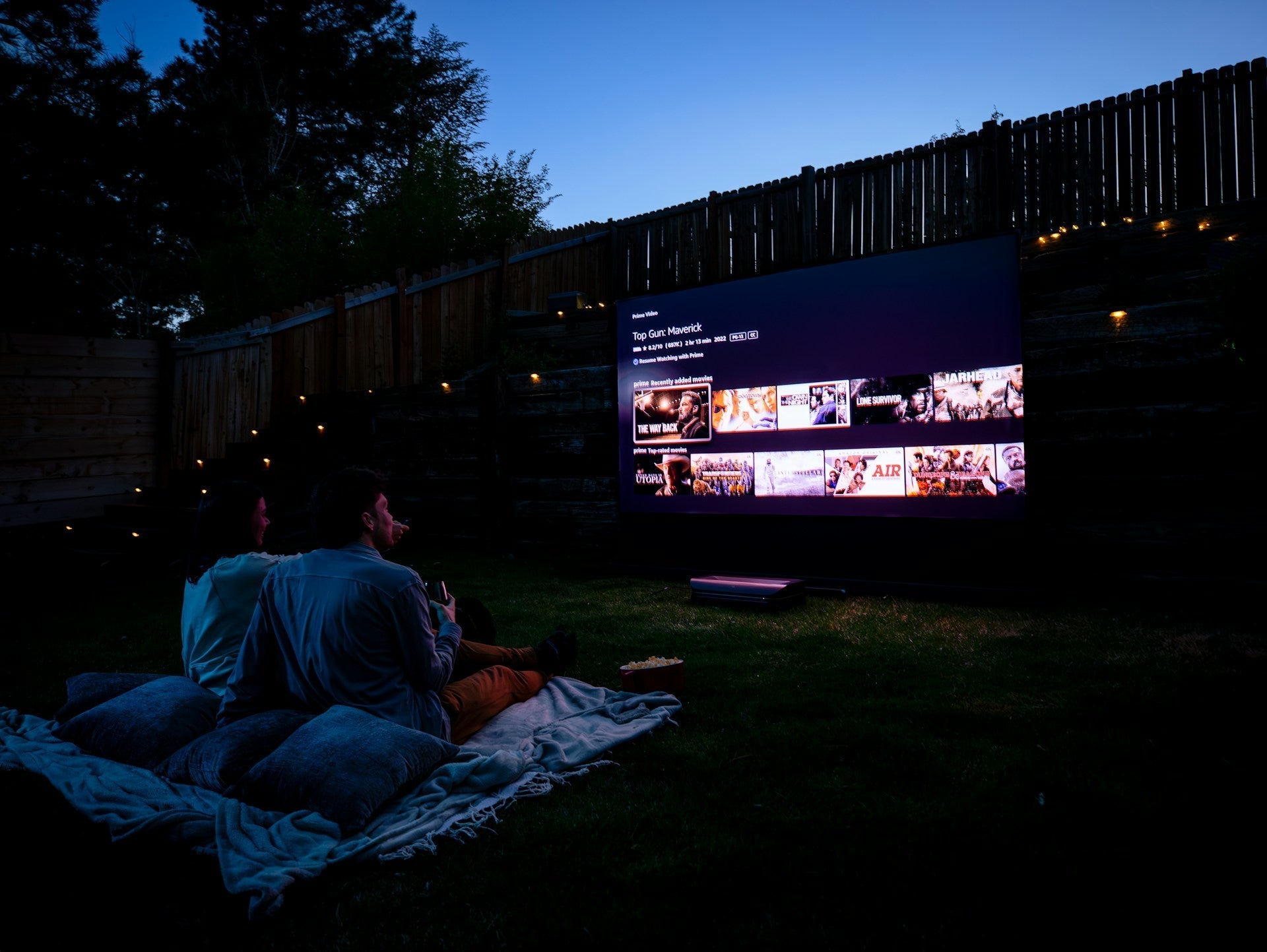
Streaming a game or favorite show outside seems like a simple treat until the video starts freezing or drops out entirely. That’s usually a signal issue, and it often comes back to the Wi-Fi setup. When electronics head outdoors, everything from weather to layout can start working against a good connection.
Using a weatherproof router is one way to fix that before it becomes a problem. Unlike regular routers, these are built for outdoor conditions and help keep your outdoor screen online without a hitch. If you’ve been frustrated by slow loading, pixelated games, or repeat buffering during movie night, a few setup changes can offer real results. Here's how to get things working right from the start.
What Makes a Router Ready for Outdoors
Not all routers belong outside. When we talk about a weatherproof router, we're talking about something designed to handle dust, moisture, and dips in temperature. These are made with sealed housing so water doesn't sneak in and electronics stay protected.
A few things separate them from a standard indoor model:
• A sealed outer case helps block out moisture, insects, and debris.
• Outdoor-rated routers usually include high-gain antennas to keep signal strength stronger from farther away.
• They’re often built with more cooling support, since outdoor units can heat up faster with sunlight and limited airflow.
Another part of the setup many people overlook is placement. Just because a router is weatherproof doesn’t mean it should sit out in full rain or direct sun all day. Mounting it under an eave or small weather cover can still offer extra life. Don’t lock it away in a box with no airflow either. These devices need breathing room to keep working right.
Titan Outdoor Televisions offers products engineered for extreme weather, so our weatherproof accessories, including routers designed for covered patio setups, reliably support outdoor streaming year-round. Our outdoor TVs are also built with military-grade NanoflowX nanocoating to keep every part of your entertainment system resistant to dust and moisture.
Keeping the Signal Strong Outside
Getting a signal out the door is one thing. Getting a strong, steady signal across a patio, backyard, or pool area is something else. The farther you move from the main router, the more likely you’ll see lag or rough streaming quality.
One simple fix is to install an access point closer to where the watching happens. That gives nearby devices a stronger connection and reduces pressure on the router doing all the work.
Mesh Wi-Fi systems can also help here. These let routers and access points talk to each other and share the load, bringing high-speed access to every corner without trailing long cords through the yard.
Other signal blockers can surprise people. Even something like a thick post, metal railing, or large plant pot can break up a signal. When setting up outside, try to keep a mostly clear line between your router or access point and where people plan to sit.
Protecting Cables and Power Connections
Weatherproof routers still need power, and that brings a new set of things to think through. Most setups aren’t fully wireless, and anything plugged into an outlet becomes a weak point if it’s not protected.
Here’s what helps protect outdoor gear:
• Use outdoor-rated extension cords and enclosed outlets. These are made to hold up better in the rain, heat, and sun.
• Keep power strips off the ground and away from standing water or downspouts that drip straight down.
• Secure loose wires, especially along walkways or patio edges, to reduce tripping or wear.
It may look simple, but small cable decisions go a long way in keeping things working. Tucking cords up under a soffit or behind a post may be all it takes to extend life past the current season.
Reliable Performance Year-Round
A weatherproof router setup is really about staying online year-round, even when the forecast doesn’t cooperate. As we move through winter, that means cold nights, light rain, and shorter days. Electronics don’t mind the cooler temperatures as much as moisture and wind.
Even in moderate cold, frozen or wet cords can lead to lost signal. That’s why it makes sense to check equipment once a month, especially in January and February, to make sure nothing slipped loose or got bumped out of place. A simple touch test can spot cold surfaces or condensation starting to build up.
We also look at mounting as part of staying ready. A snug bracket in a shielded area is usually better than a shelf or table, which might sway or shift with wind. Add a simple cover or shield where needed, and things often stay cleaner and drier overall. It’s not about overdoing it, it’s just about taking small steps that keep the setup running smoothly without surprises.
Streaming Outdoors Without the Stress
Movie night, sports weekends, or just relaxing outside with a playlist should feel easy. With a few smart setup choices, your outdoor space can stream without a hiccup for months at a time. A good weatherproof router, placed in the right spot, helps keep everything connected as the seasons change.
Planning ahead keeps streaming from turning into troubleshooting. It saves time, avoids frustration, and gets everyone back to what they came outside to do: watch, listen, and enjoy. Whether it’s backyard fireworks on the Fourth of July or a playoff watch party in the cold of January, a reliable network behind the scenes makes all the difference.
At Titan Outdoor Televisions, we understand how important it is for your outdoor entertainment setup to work seamlessly year-round. A reliable signal teamed with the right screen transforms any gathering, no matter the season. Our outdoor TVs are engineered to stand out, with ultra-high brightness up to 5000 nits, smooth 144 MHz refresh rates, and cutting-edge micro LED technology paired with premium BANG & OLUFSEN speakers and built-in WiFi 6 for fast, stable connectivity. Pairing your display with a quality weatherproof router is the first step to smooth streaming when conditions change. For expert guidance on setting up the perfect system, reach out to our team today.


Please upload banner from store admin blog pages
