
Methods For Maintaining All Weather TVs In Hotter Climates
- by Brennan Haelig
-
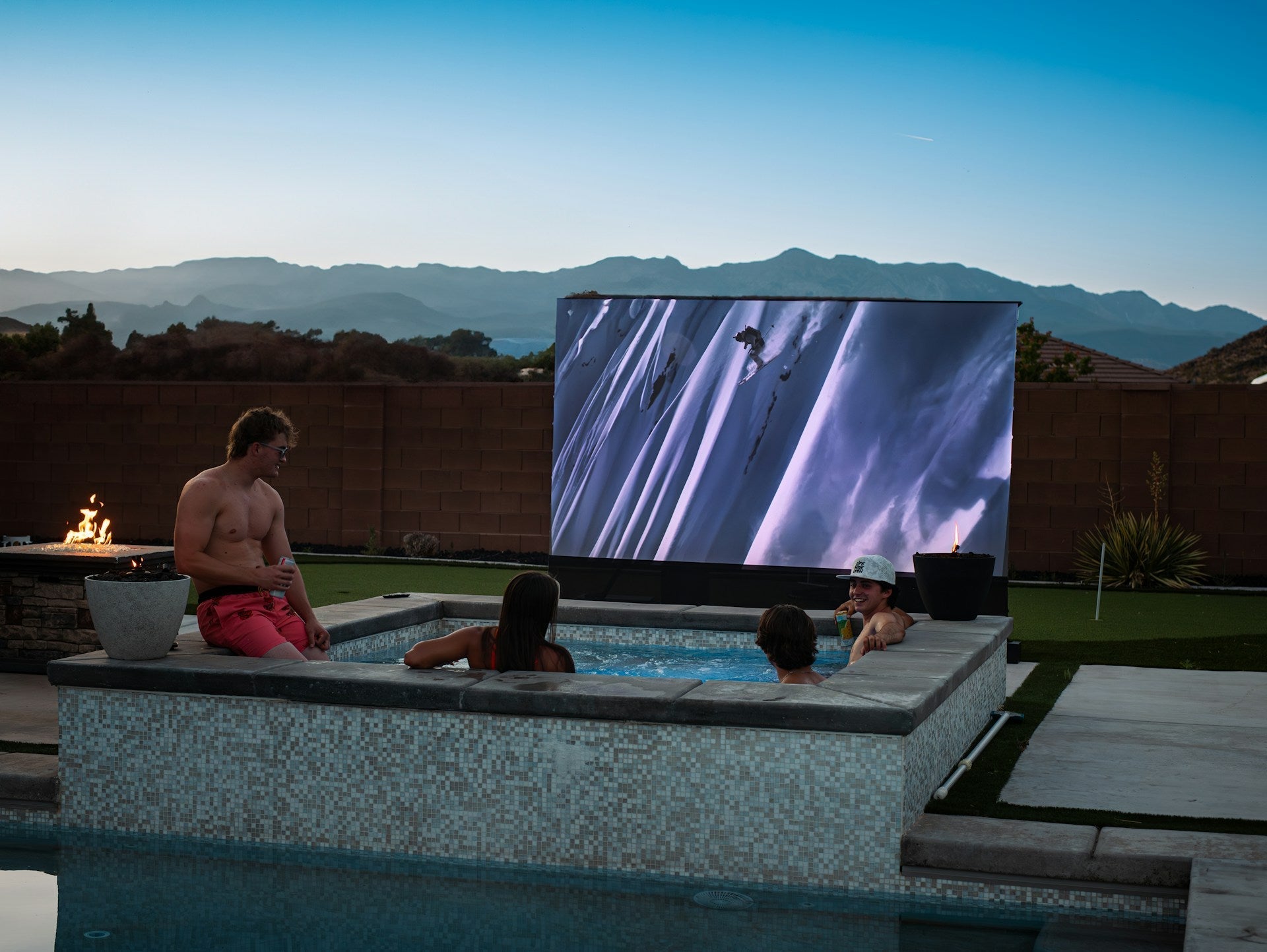
Late spring is the perfect time to get back outside and start enjoying the backyard again. Longer days and warmer weather mean more time with friends, more meals on the patio, and for many of us, more screen time outside. If you're using an all-weather TV, now’s when it makes sense to start thinking about heat and how to help your setup stay in shape as things warm up.
Most outdoor TVs are built tough, but even the sturdiest designs can feel the strain when the heat kicks in. The good news is that it doesn’t take much to keep your setup working smoothly. A few simple habits and small changes can make a big difference during the hottest months.
Why Heat and Sunlight Matter for Outdoor TVs
Heat affects nearly everything we leave outside, and outdoor screens are no exception. Even though an all-weather TV is made to handle the elements, extreme heat and direct sunlight can still wear it down over time. Constant exposure to UV rays and high temperatures puts pressure on both the external surface and what’s inside.
Keeping a screen outside during hot months isn’t about worrying, it’s about planning smart. Equipment can overheat if it doesn’t have a chance to cool down, especially if it’s running for long periods in direct sun. Over time, that stress can cause slow performance or shorten its overall life. Small steps along the way go a long way toward preventing bigger issues.
The effects of heat go beyond just the screen. Internal parts, power supplies, and even casings can get affected by prolonged warmth. That’s why understanding how sunlight and high temperatures interact with your outdoor TV helps you make better decisions on placement and use. Even a few hours of harsh daytime sun can turn a cool metal surface blazing hot, so being aware of where your TV sits is always helpful.
Keeping Screens Cool and Working Smoothly
Where you place your screen matters just as much as what kind of hardware you have. If the screen gets full sun all day, it’ll naturally run hotter, which makes everything work harder.
- Pick a shaded setup when possible, whether it’s under an awning, patio cover, or roofline
- Mount the screen so that air can move freely above and behind it, especially if you’re using a wall bracket
- Avoid fully enclosed boxes that trap heat, use covers during the evening or when guests have gone, but make sure to let heat escape during the day
Another way to help your TV last longer is giving it breaks when the sun is strongest. Midday sun can make screen surfaces hotter than you’d expect, and even though the unit may still work, a little time-off can ease the pressure on its parts.
Every Titan Outdoor TV is engineered using NanoFlowX nanocoating, giving each unit IP65-rated protection against moisture and dust. Our models are assembled and tested in Dallas, Texas, and built for harsh summer conditions often faced in residential backyards.
If you want extra peace of mind, setting up a fan nearby or making sure there’s constant airflow can keep temperatures manageable. Sometimes it just takes a little shifting or re-angling to get better results.
Even leaving a small gap between the TV and the wall can make a noticeable difference in how hot it gets throughout the day. Regularly clearing leaves and dust from around your entertainment setup also prevents unexpected blockages that can heat things up fast.
Watching for Signs Your TV Needs Attention
Most people don’t want to mess with their screen unless something’s clearly wrong, but small changes are often the first warning signs that your equipment needs care. If the picture seems dimmer than usual or the screen starts lagging, heat might be playing a part.
- Watch for sudden power downs, dim brightness, or long startup times
- If the screen is too hot to touch midway through the day, airflow could be an issue
- A slight yellowing on the edges or uneven visuals might mean it’s been running hotter than it should
We always suggest letting a professional check things out instead of trying to take it apart. It’s easy to miss the signs of wear or to damage the seal if you’re not sure what you’re looking at. Letting someone with the right background do the checking keeps things safe and avoids bigger problems down the line.
More often than not, issues that start with heat show up slowly. The screen may seem just a bit slower, or a remote might not work as smoothly. If you notice that touch controls or smart TV functions lag, even for a moment, that can sometimes be an early sign that the unit is running warmer than recommended. Acting early helps prevent any surprise breakdowns when you need your entertainment most.
Protecting Connections and Cables in the Heat
Cables don’t always get the attention they need. But outdoor temps and repeated heating and cooling can slowly loosen them or affect how tightly they sit in their ports. Even a small shift in wiring can lead to flickering or no signal at all.
- Use weatherproof boxes or sealed piping to protect wires in open areas
- Check all cords for signs of melting, cracking, or pulling
- Make sure the back of the TV isn’t holding in water or trapping heat near plug connections
If it’s been a while since anyone looked behind the screen, now’s a good time to do a quick visual check. You don't have to touch anything, but if you spot corrosion or coloring around connection points, it's best to get support before those small signs become bigger ones.
Some people notice that their signal appears fine in cool mornings but gets dicey as the heat kicks in during midday. This can sometimes be traced back to how cords and connections react to temperature swings.
Extension cords placed outside for long periods without proper cover are especially prone to wear, and securing them inside a weatherproof compartment helps keep the connection steady. Remember that even top-quality cables benefit from a bit of shelter from the sun.
Professional Maintenance Makes a Big Difference
One of the easiest ways to hold off wear from heat is to plan simple checkups once or twice a year. Someone who’s familiar with outdoor systems can check things fast and handle details most people might miss, like testing seals or looking for airflow blockages near fan vents.
- Professionals can test screen performance without taking anything apart
- They know how to clean vent slats or drain plugs without harming the unit
- Having help on a regular schedule means you're ready before problems show up
The truth is, most outdoor TVs are built to last. But even the strongest one needs a little help staying ready for summer heat.
Planning a maintenance visit before the hottest days hit ensures your TV is working its best when you want to use it most. Not only do regular checkups help catch small issues early, but they also give you extra confidence that everything is safe as summer temperatures climb.
Enjoy More Days Outside With the Right Upkeep
Taking care of an all-weather TV in warmer seasons keeps the focus on relaxation instead of repair. When screens run cooler and wiring stays tight, you get more time with your favorite shows, games, or playlists while hanging out in the yard.
A little attention now can go a long way next month. Heat builds fast, but with small adjustments and regular checks, there’s no reason your setup can’t thrive all through the hottest days and into the evening. Let’s make summer simple and stress-free, just the way it should be.
Ready to elevate your outdoor viewing experience? Keeping your setup running cool is key, and at Titan Outdoor Televisions, we provide top solutions for every environment. Explore our cutting-edge residential TV options, built to withstand the heat while delivering spectacular viewing. For any assistance with setup or maintenance queries, our team is always here to help.


Please upload banner from store admin blog pages
